Hexnode vs Scalefusion: Which Device Management Solution Deserves Your Enterprise Budget?
 William Marshal
Posted On November 3, 2026
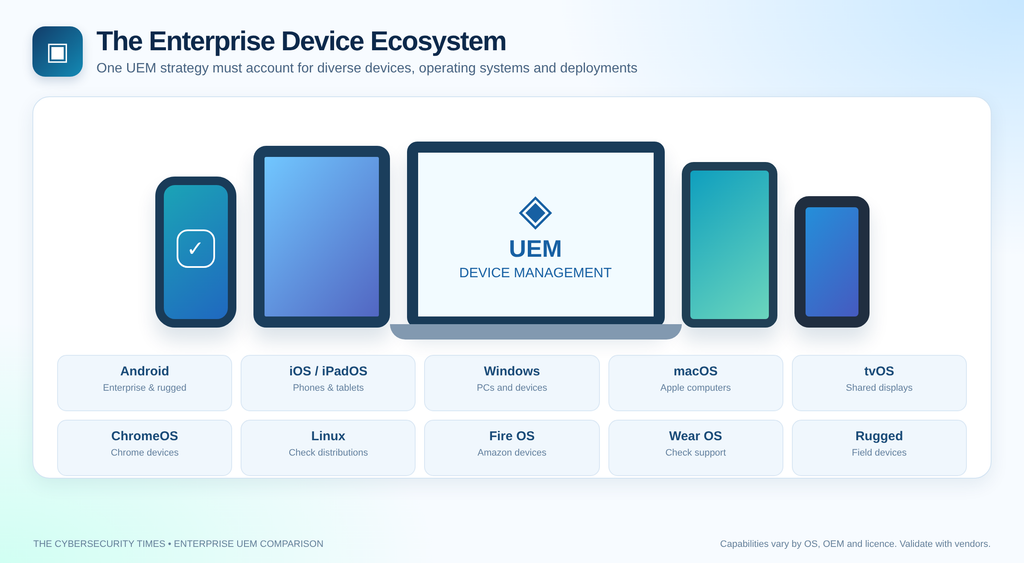
The unified endpoint management (UEM) market is crowded, competitive, and — frankly — full of platforms that promise the world and deliver a confusing dashboard. Two mid-market contenders that regularly appear on IT procurement shortlists are Hexnode and Scalefusion. Both target the same core audience: IT administrators managing mixed-device environments across Android, iOS, Windows, and macOS. Both claim to simplify device management without enterprise-grade complexity. But beneath the similar elevator pitches, meaningful differences exist in execution, security depth, pricing transparency, and support quality.
We spent time evaluating both platforms across security controls, policy management, remote capabilities, pricing structure, and real-world usability. Here’s what we found.
Platform Snapshots
Hexnode UEM is developed by Mitsogo Inc. and has been in the MDM space since 2013. It positions itself as a full UEM solution with particular strength in kiosk management, Android Enterprise, and Apple Business Manager integration. It serves businesses across retail, healthcare, logistics, and education.
Scalefusion MDM (formerly known as MobiLock Pro) is developed by ProMobi Technologies and rebranded to reflect its broader UEM ambitions. It competes directly with Hexnode on price and feature set, with notable strengths in its workflow automation tool (Workflows by Scalefusion), remote cast capabilities, and a more modern UI that many IT admins find less intimidating on first login.
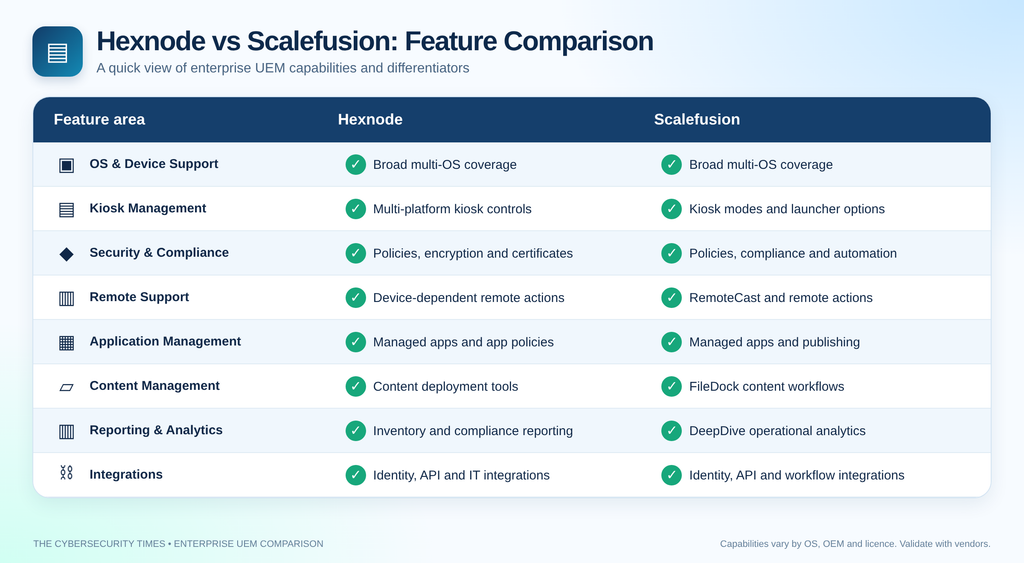
Key Features Comparison
1. Platform & OS Support
| Platform / Feature | Hexnode | Scalefusion |
|---|---|---|
| 🤖 Android | ✅ Full Android Enterprise | ✅ Full Android Enterprise |
| 🍎 iOS / iPadOS | ✅ | ✅ |
| 🪟 Windows 10/11 | ✅ | ✅ |
| 💻 macOS | ✅ | ✅ |
| 📺 tvOS | ✅ | ✅ |
| 🌐 ChromeOS | ✅ | ✅ |
| 🐧 Linux | ✅ Ubuntu, Debian, CentOS | 🟡 Limited / Beta |
| 🔥 Fire OS | ✅ | ✅ |
| ⌚ Wear OS | ✅ | 🟡 Limited |
| 🏭 Rugged Devices | Zebra, Honeywell | Zebra, Honeywell, Panasonic |
Verdict on OS Support: Hexnode’s Linux support gives it a meaningful edge for organizations running mixed Linux endpoints — a growing concern in security-conscious environments. Scalefusion’s Linux functionality is still catching up.
2. Kiosk Management
This is one of Hexnode’s most cited differentiators, and for good reason.
Hexnode:
– Single-app and multi-app kiosk modes
– Peripheral lockdown (USB, Bluetooth, camera controls)
– Autonomous Single App Mode (ASAM) for iOS
– Advanced kiosk browser with URL whitelisting/blacklisting
– Kiosk exit PIN protection
– Digital signage mode
– Supports kiosk policies across Android, iOS, Windows, and macOS
Scalefusion:
– Single-app and multi-app kiosk modes
– Kiosk browser included
– ShowTime (digital signage) feature built in
– Launcher customization more visually polished
– Less granular peripheral control compared to Hexnode
Edge: Hexnode — particularly for regulated industries requiring strict peripheral lockdown and compliance-grade kiosk configurations.
3. Security & Compliance Controls
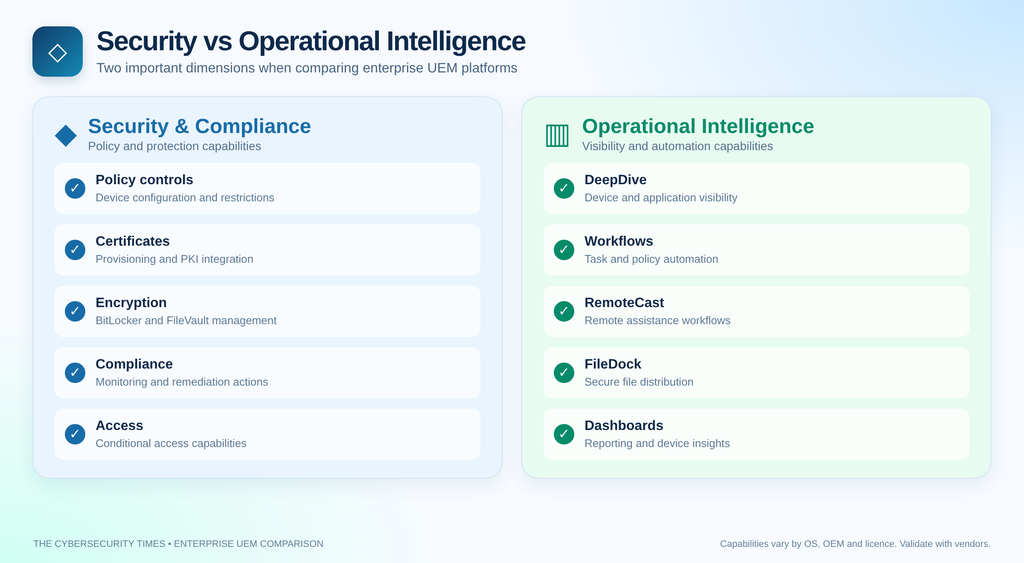
Hexnode:
– Conditional email access
– Certificate management (SCEP/PKCS)
– Per-app VPN configuration
– Threat detection integration (limited native; relies on third-party integrations)
– Remote wipe (full and selective)
– Geofencing and location tracking
– Compliance policies with automated remediation
– BitLocker and FileVault management
– Password complexity enforcement across all platforms
Scalefusion:
– Conditional access (basic)
– Certificate management via SCEP
– Per-app VPN
– DeepDive Analytics — a notable differentiator providing device health and app usage insights
– Remote wipe (full and selective)
– Geofencing
– Compliance alerts
– BitLocker management for Windows
– Password policy enforcement
– Workflows — Scalefusion’s automation engine that allows if/then logic for policy triggers (e.g., auto-lock device if compliance threshold breached)
Edge: Scalefusion’s Workflows automation engine is genuinely impressive and more intuitive than Hexnode’s equivalent automated remediation. However, Hexnode’s certificate management depth and BitLocker/FileVault dual-platform encryption management give it an advantage in enterprises running complex PKI environments.
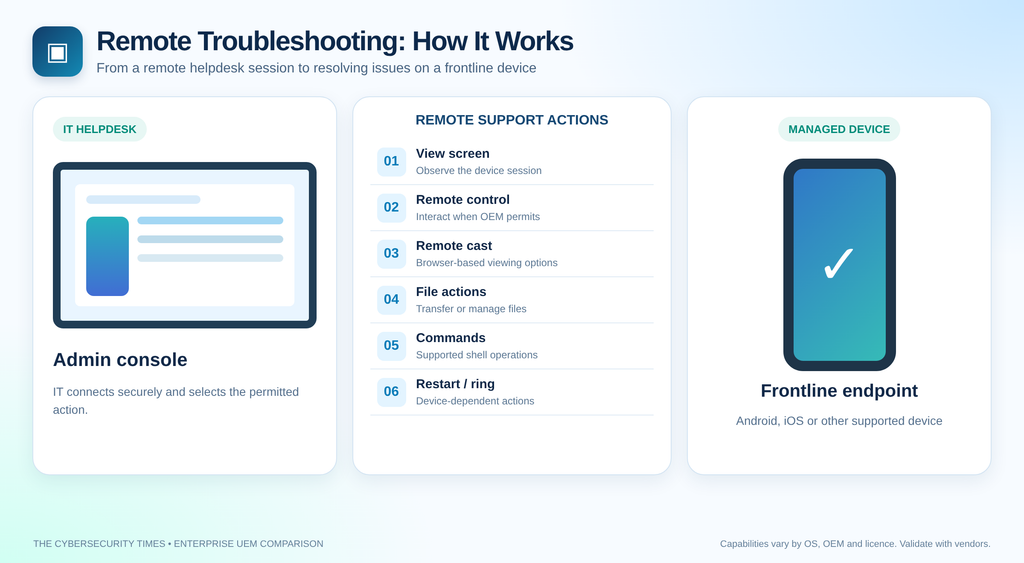
4. Remote Management & Troubleshooting
| Capability | Hexnode | Scalefusion |
|---|---|---|
| 👁️ Remote View | ✅ Android | ✅ Android · 🟡 iOS (Limited) |
| 🎮 Remote Control | ✅ Samsung, LG, Zebra | ✅ Broader Android OEM Support |
| 🖥️ Remote Cast | ✅ Screen Mirroring | ✅ RemoteCast |
| 📁 Remote File Manager | ✅ | ✅ |
| ⌨️ Remote Shell / Command | ✅ | ✅ |
| 🔄 Remote Reboot | ✅ | ✅ |
| 🔔 Remote Ring | ✅ | ✅ |
Edge: Scalefusion — RemoteCast is a standout feature that allows IT teams to cast a device screen directly to a browser without additional software, making remote troubleshooting faster and more accessible for helpdesk teams. Hexnode has no direct equivalent.
5. Application Management
Hexnode:
– Enterprise app store
– Silent app install/uninstall
– App blacklisting and whitelisting
– App configuration (Managed App Config for iOS)
– VPP (Apple Volume Purchase) support
– Google Play Managed integration
– App usage tracking
– App tunnel (per-app VPN)
Scalefusion:
– Enterprise app catalog
– Silent install/uninstall
– App blacklisting/whitelisting
– Managed App Config
– VPP support
– Google Play Managed integration
– App usage analytics via DeepDive
– App Publishing Portal — allows internal teams to submit and distribute proprietary apps more cleanly
Edge: Roughly equal, with Scalefusion’s DeepDive analytics providing better app usage visibility and Hexnode offering slightly stronger per-app VPN configuration options.
6. Content & Document Management
Hexnode:
– Secure file distribution to devices
– Content library management
– Integration with cloud storage (Google Drive, OneDrive, SharePoint)
Scalefusion:
– FileDock — Scalefusion’s dedicated secure content management module
– More polished file distribution workflow
– Better version control for distributed documents
Edge: Scalefusion — FileDock is a more complete content management solution compared to Hexnode’s more basic file distribution tools.
7. Reporting & Analytics
Hexnode:
– Pre-built compliance and inventory reports
– Custom report builder
– Scheduled report delivery
– Device audit logs
Scalefusion:
– DeepDive Analytics — real-time device health, app usage, data consumption
– Pre-built and custom reports
– Scheduled delivery
– More visually rich dashboards
Edge: Scalefusion — DeepDive is a genuinely differentiated analytics layer that provides operational intelligence most IT teams actually use.
8. Integration Ecosystem
Hexnode:
– Azure AD / Entra ID
– Google Workspace
– SIEM integration (basic)
– Okta
– SCIM provisioning
– REST API
Scalefusion:
– Azure AD / Entra ID
– Google Workspace
– Okta
– SCIM
– Zapier (via Workflows)
– REST API
– Microsoft Teams integration (device alerts)
Edge: Scalefusion
Both Hexnode UEM and Scalefusion offer capable device management platforms, but their strengths serve different enterprise priorities. Hexnode is a strong choice for organizations prioritizing granular device controls, kiosk management and mixed-platform endpoint security. Scalefusion stands out for organizations seeking workflow automation, remote troubleshooting, operational analytics and streamlined IT administration. Ultimately, the right UEM platform is not the one with the longest feature list, but the one that best aligns with your device ecosystem, security requirements, IT resources and long-term cost of ownership. Before committing, evaluate both solutions through a proof of concept using your actual devices, applications and operational workflows.
The Cybersecurity Times’ recommendation:
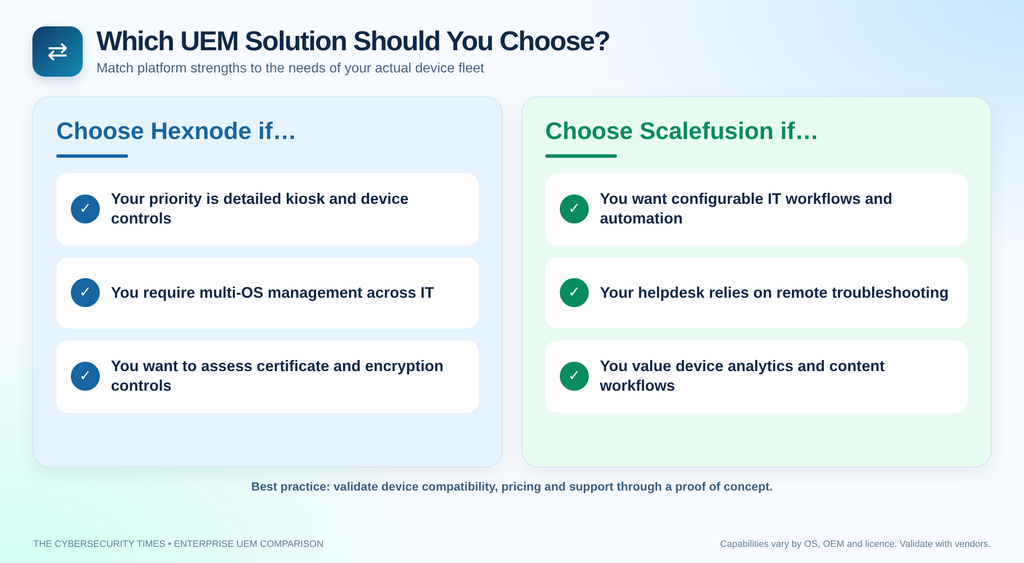
Shortlist Hexnode for control-intensive device environments and Scalefusion for automation-driven IT operations. Validate platform-specific capabilities, licensing costs and support commitments before making a final purchasing decision.

You may also like