Windows 10 privacy guide for increasing user data security
 William Marshal
Posted On February 27, 2020
William Marshal
Posted On February 27, 2020
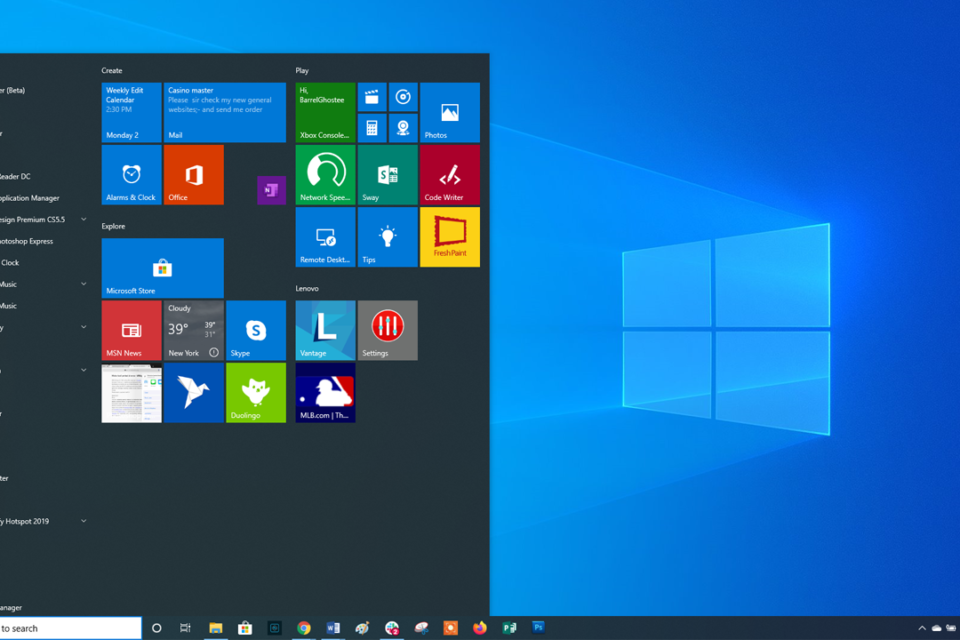
Businesses are moving from Windows 7 to Windows 10, thanks to Microsoft’s discontinuation of Windows 7 updates. On one hand, considering this outdated operating system situation, Windows 10 has become the prominent OS in the market. On the other hand, cyberattacks are increasing everyday and data breaches have become quite common.
Because of these scenarios, businesses need to enhance their Windows 10 privacy to keep them themselves vaccinated before any sneaky data leaks. Security products and strategies comes later in the checklist, while the initial stepping stones would be configuring your Windows 10 systems with at most data security policies to increase privacy. In this guide, we’ll discuss how Windows 10 users can reduced their data being tracked and increase their privacy in overall.
Disabling app launch tracking, suggested content, and advertisements
Microsoft by default tracks certain information from your system and displays advertisements based on the user data. The user account is connected to the advertisement ID and because of it, Microsoft can serve customized ads to the users. Microsoft does use this information to leverage marketing activities through bing and other services.
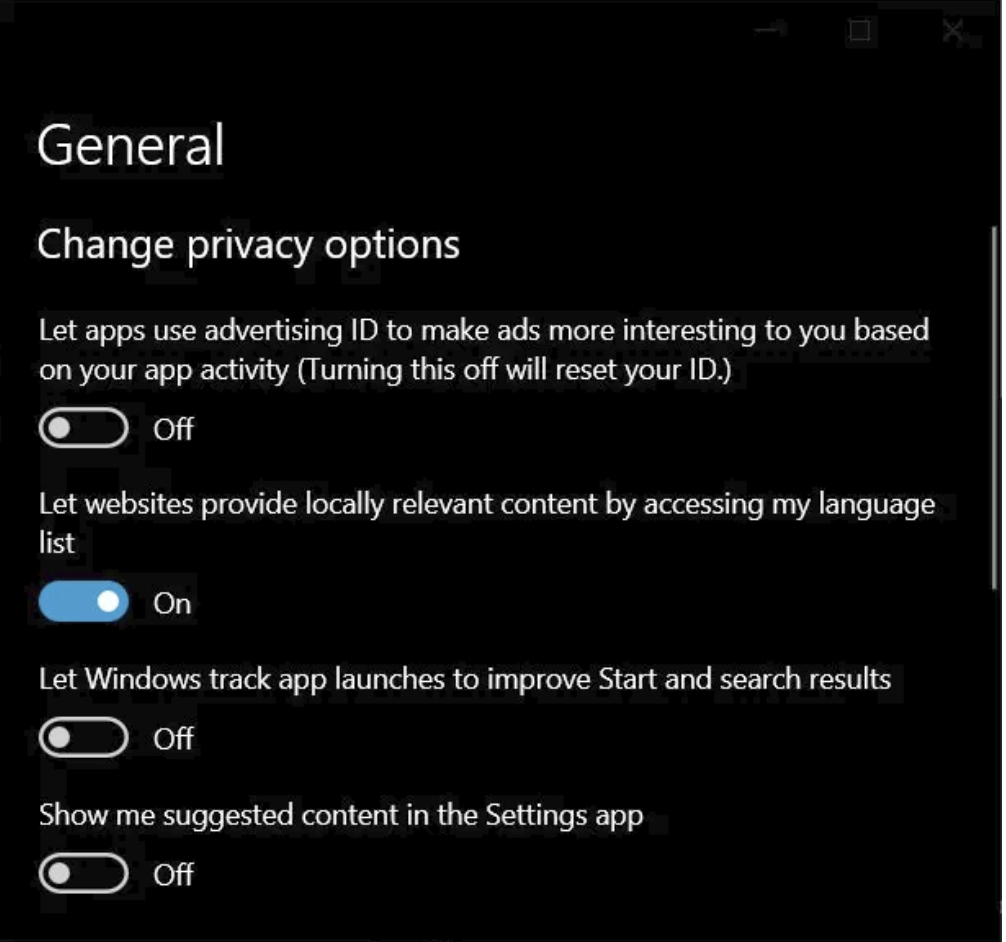
Users need to navigate to Settings–> Privacy–> General.
Below ‘Change Privacy Options‘ disable the below options,
- Show me suggested content in the Settings app
- Let Windows track app launches to improve Start and search results
- Let apps use advertising ID to make ads more interesting
After making the changes the setting should like below image, the advertisements will be stopped in the next section.
Get ride of Start menu promotions
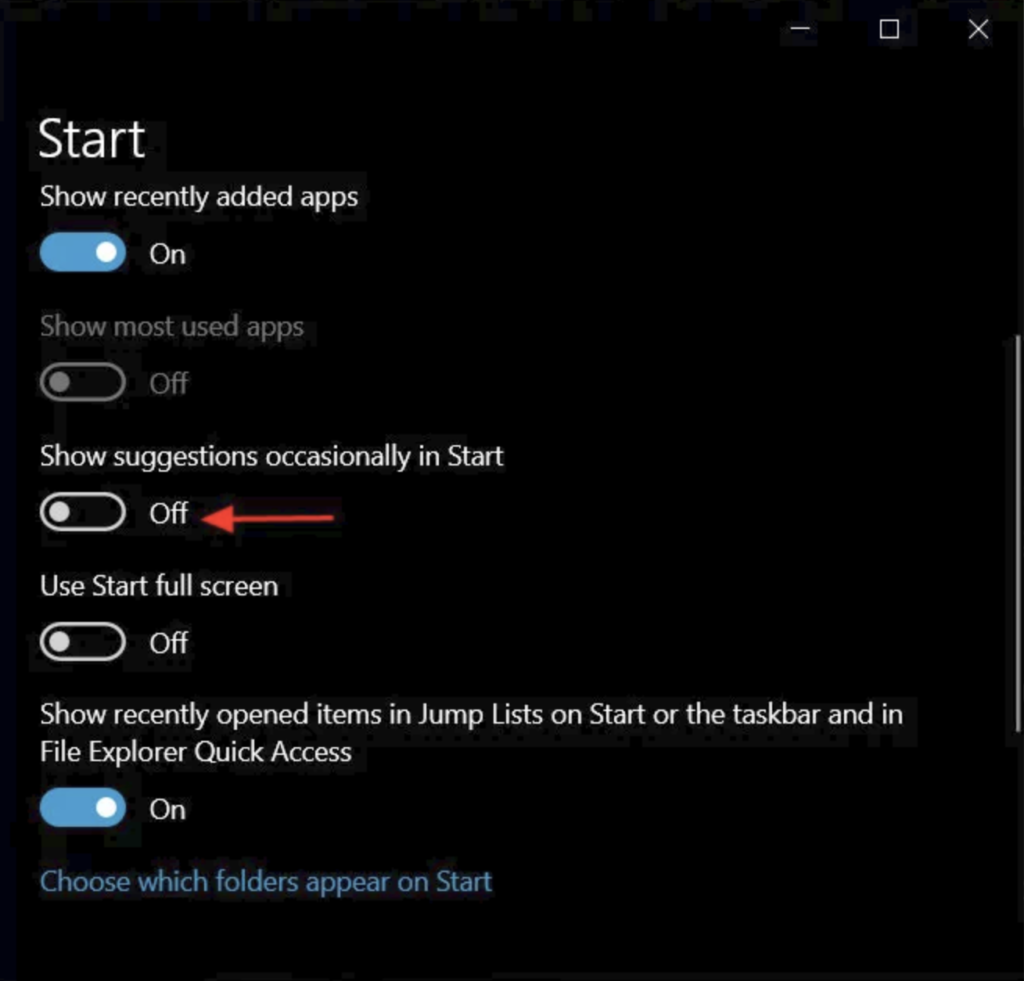
Microsoft occasionally displays ads for its recently released applications or services. For example, a couple of months back Microsoft displayed ads for its new browsers Edge.
Users can turn this suggestions/promotions of by disabling the ‘Show suggestions occasionally in the Start menu’ as show below,
Escape the Windows 10 timeline
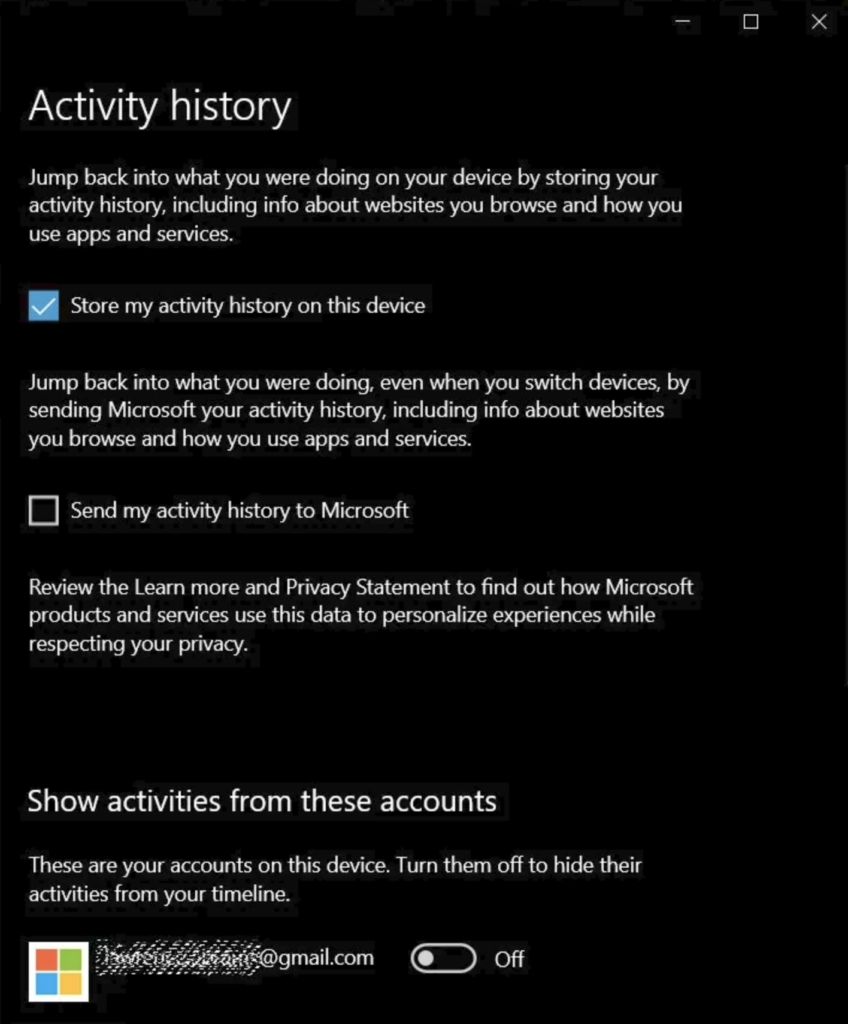
Microsoft has a way of keeping track of all the activities you do in PC, Edge and Android devices with its launcher. It tracks and records all the logs and history of your activity thus affecting your privacy. However, we can escape Microsoft’s tracking and timeline if we disable ‘Store my activity history on this device‘.
Users need to make the below changes,
- Navigate to Settings–> Privacy–> Activation history.
- Disable ‘Store my activity history on this device’.
- Also disable ‘Show activities from account’ and clear the activity history’
Restrict and allow permissions
- Certain preinstalled applications in Windows 10 can provide escalated privileges to Microsoft, for example, few apps can track your location. Disabling certain apps GPS permissions could improve your privacy.
- Users can also turn off speech recognitions, so that Cortana will not be listening to your conversations accidentally. Users can do this by navigation to Privacy–>Speech and disabling ‘Online speech recognition’.
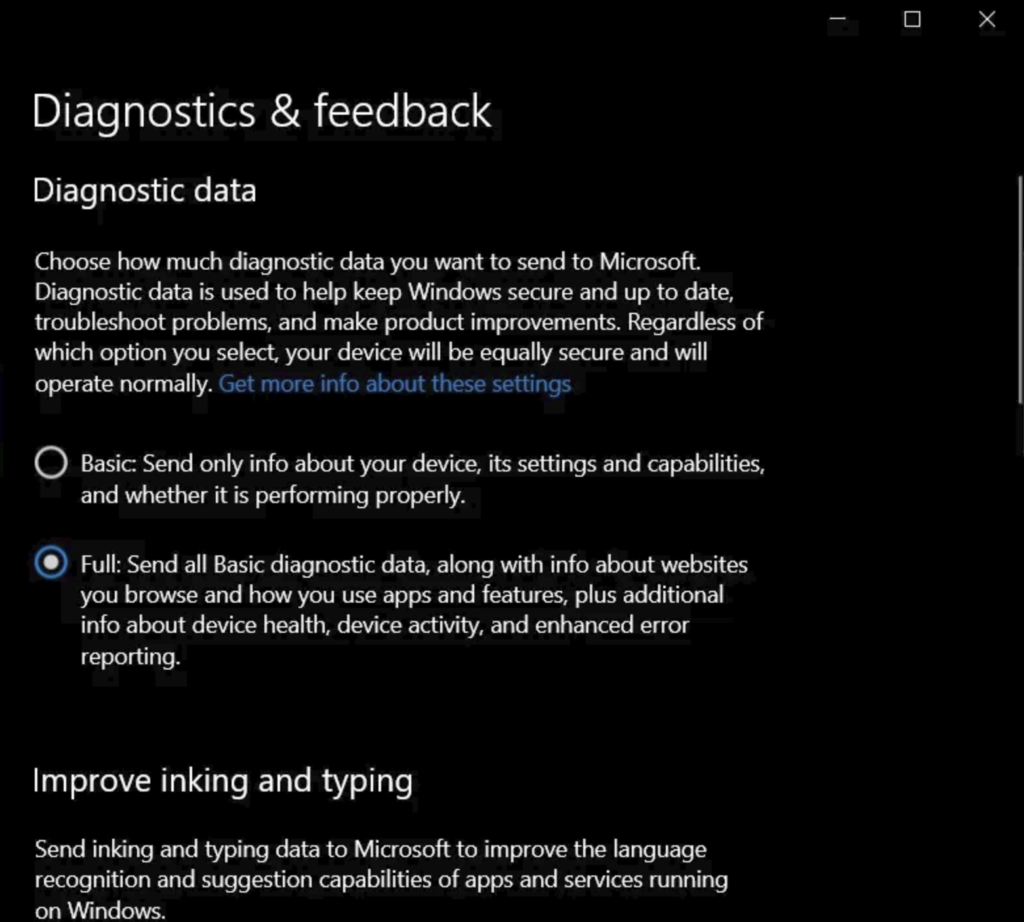
- Another critical data collection area is Diagnostics and Feedback, Microsoft says it collects this information to improve the OS performance and rectify issues. Users can toggle between Basic and Full, to restrict Microsoft from accessing all the data. However, please remember that you could not completely disable this option.
- Disabling the inking and typing personalization is another option, but this isn’t going to make a huge difference. Users who prefer keeping their writing style personal can turn this settings OFF.
- Disabling Cortana is also a great choice, if you are a person who wants to keep things private then this AI is the one that you should disable first.
- Prefer using Guest and Local accounts for data privacy sync among all your devices.
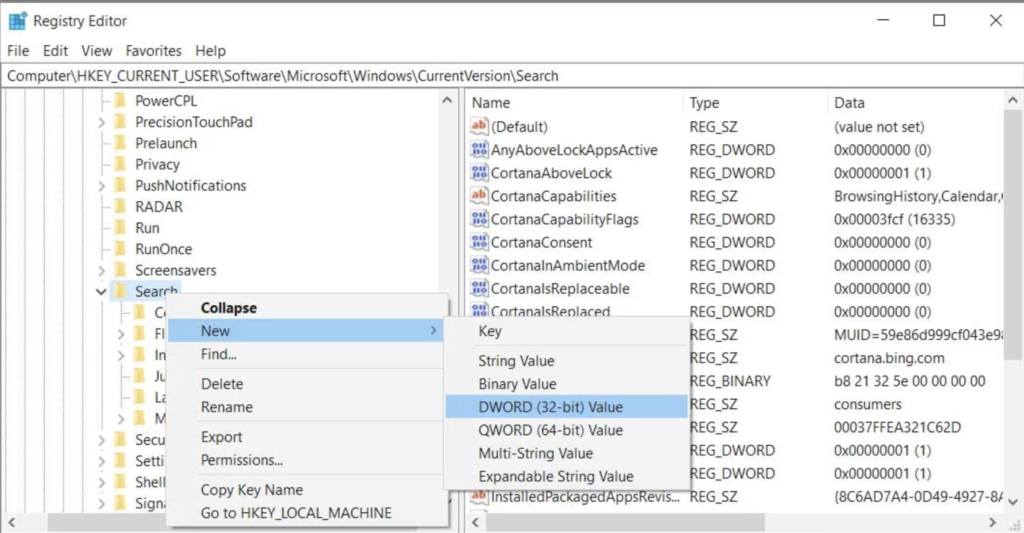
- Disable the Bing search in Windows 10 Start menu to keep things anonymous, run the command ‘regedit’ navigate to the HKEY_CURRENT_USER\Software\Microsoft\Windows\CurrentVersion\Search key and change the value of BingSearhEnabled and Cortanaconsent to 0. This will disable Cortana and Start menu search tracking and suggestions prompts thus offering privacy.
Follow this Windows 10 privacy guide to ensure data security and better user privacy.
Subscribe to ‘The Cybersecurity Times’, for daily alerts on cyber events. You can also follow us on Facebook, Linkedin, Instagram, Twitter and Reddit.